


|
Archive - read only |
| uCoz Community Archives Archive [GUIDE] Forum Icon Change! (Board Icons, Post Icons, Icon Set, Custom Icons.) |
| [GUIDE] Forum Icon Change! |
Step 1: First create a folder called anything you like in File Manager. 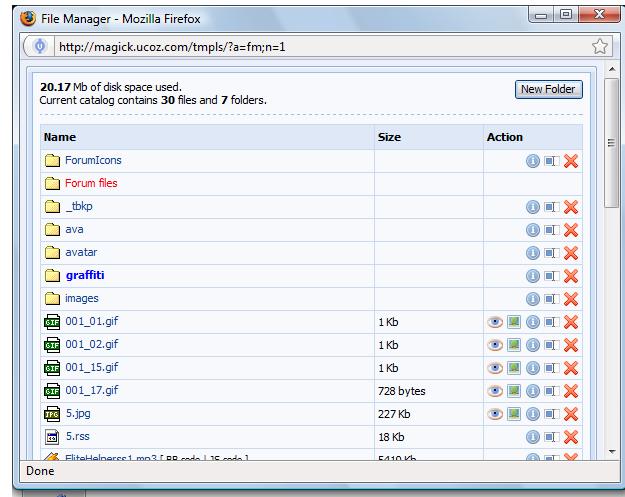 ((I have called it forumicons))
Step2: You have to use the same icon names for your images and upload to folder. 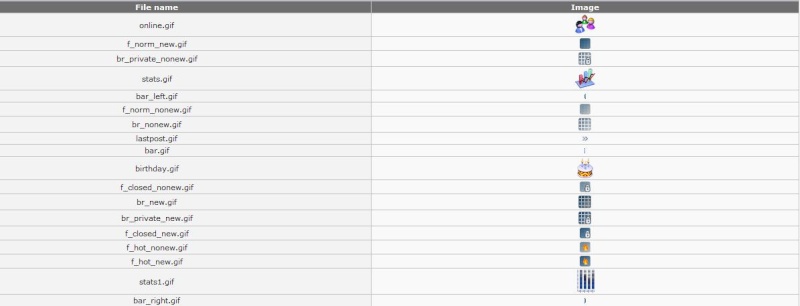
Step3:
After you done, paste folders url in CP -> Forum -> Module Settings.  You have to choose "Custom set" to provide link to folder. http://magick.ucoz.com/forum
Download GTA IV On PC from my forum :)) Post edited by mantasja - Friday, 2008-10-31, 12:18 PM
|


| |||
| |||

Need help? Contact our support team via
the contact form
or email us at support@ucoz.com.