


   | |
| Forum moderator: bigblog |
| uCoz Community General Information First Steps with uCoz Tips (how to disable, enable) |
| Tips |
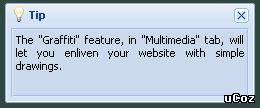
BraziluCoz, Only administrators get this tips. Click on Tip & it will offer disabling, Mark it.
Unlike computers, no human brain has ever said:" Hard drive full."
|
Normal post was moved to this thread.
Date: Friday, Yesterday, 4:15 PM | Message # 1 Hey how would I get rid of the annoying tip pop up window when I log in ? And this time when I login the tip window took half my website up and was in the center of my page What The Heck is that about ?  I cant provide the screen pic because I dont see that big tip box anymore (just the annoying small one) All my days here at ucoz I never seen a tip box like that one Wanted me to upgrade my service for $3.00 
|
Sunny, It happen again but this time I was ready and got my screenpic...but then I find that my webtop buttons are missing (see pic for details)
I couldnt log out I had to just close it  
Post edited by Pancake - Sunday, 2012-05-13, 2:07 PM
|
Pancake, same as Sunny said earlier. It happens to everyone after a while. Just hit close and it goes away for a while. Eventually it stops appearing all together.
As to the uNet buttons it could be a server glitch but I haven't yet checked today. I will have a look and get back to you. 
Jack of all trades in development, design, strategy.
Working as a Support Engineer. Been here for 13 years and counting. |



















| |||

Need help? Contact our support team via
the contact form
or email us at support@ucoz.com.