|
Admin Bar
|
|
Sunny

Posts: 9296
Message # 1 |
3:06 PM
2008-09-25
How to work with the administrator’s panel
Admin Bar has a number of Control Panel functions. Here you can read how to use them and what they can do
If you do not want to read everything follow the links: tabs: General, Control, Addition, Users, Multimedia, Builder (or Design), Help
Key words: Admin Bar, hide Admin Bar from definite pages, management of Admin Bar, management of a website via Admin Bar, closing of Admin Bar, administrator’s panel on a website.
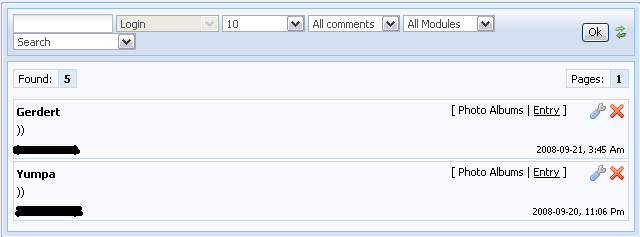
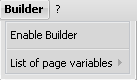
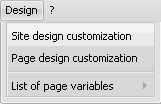
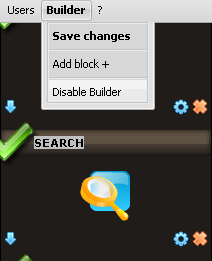
| I Enabling of Admin Bar. Admin Bar is enabled by default for "Administrators" group. It can be enabled/disabled in user groups settings (CP -> Users -> User groups). You can make it available for all groups except the default "Checked", "Users" and "Guests". Admin Bar can’t be disabled for administrators because many control features are located on this panel. Note: if the Admin Bar is not visible for administrators you should just resave permissions for this user group. | 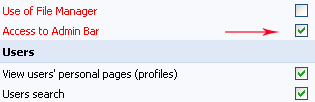 | | II Usage of Admin Bar. After Admin Bar has been enabled the administrators will see a bar with control features at the top of site pages. |  | | 1 "General". Here you can see the link(s) to your profile(s) (local or uNet, or both; depends on the allowed methods of authorization), as well as the buttons for the Admin Bar management. | 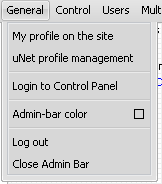 | | 1.1 Login to Control Panel (CP). If you click on this item you will be redirected to the CP login page (http://site_url/admin). Everyone can get to this page but only the person who knows the CP password can log in to the Control Panel. | 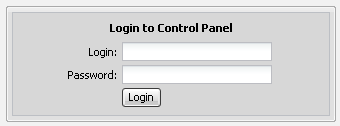 | | 1.2 Admin Bar color. Click on it and you’ll see a small panel with the list of available colors. Anyone who has access to the bar can change the color, and the color of Ajax-windows will change as well for all users (it is impossible to change it separately for yourself). | 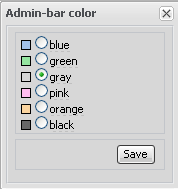 | | 1.3 Logout, closing of Admin Bar. If you click on 'Logout' you will be logged out of the website. By means of the last line you can close the Admin Bar but note that when you refresh a page or go to another page it will appear again. | 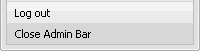 | | 2 "Control". The features of this tab refer to the management of entries at your website. | 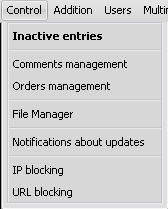 | | 2.1 Inactive entries. This feature allows to quickly and easily find non-activated/non-moderated entries on your website (entries of all modules except the comments). If there are pending entries you’ll see the name of a module and the link to the page with all inactive entries in the pop-up window. If there are no such entries the system will inform you. | 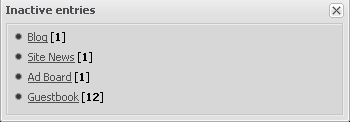 | | 2.2 Comments management. This feature permits to quickly view/edit/delete/activate/deactivate necessary comments of any module (without the necessity to browse all entries). | 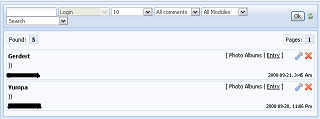 | | 2.3 Orders management. This item will appear if you have E-shop module installed. Here you can manage e-shop orders quickly and easily. | | 2.4 File Manager. By means of this button any administrator can enter File Manager without having the access to CP. Here you can create/edit/remove folders and files like in CP. | 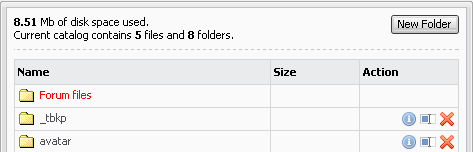 | | 2.5 Notifications about updates. This item allows subscribing to notifications about new entries and/or comments of any website module. You can also select the way in which you want to be notified – PM or E-mail. | 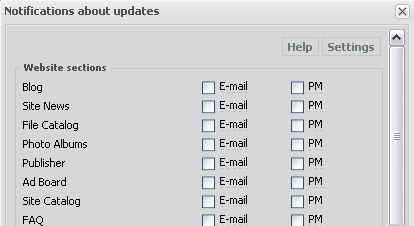 | | 2.6 IP blocking. If you need to block/unblock IP address of a user/several users you can do this in this menu. Enter the necessary addresses/subnetworks (each in a new line) in the pop-up window that will appear. All users with their IPs on this list will see the message "Access denied. You IP address is blocked" when trying to add an entry. | 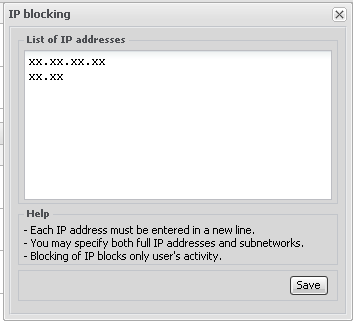 | | 2.5 URL blocking. This feature is similar to IP blocking. When using this feature all forum posts, module entries and comments will be blocked when being added if they contain the URLs from this list. You can add here links either with "http://", "www" or without them, the result will be the same. | 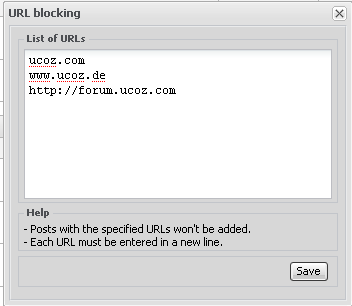 | | 3 "Addition". By means of this tab all users, having access to Admin Bar can quickly go to the page for the adding of new entries of any active module. Here one can also add site pages without the access to CP. | 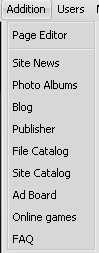 | | 4 "Users". This tab is used for the work with users. The first button permits to open the page with the list of all site users, where you can see all registered users and use sorting by username, registration date, number of messages and so on. | 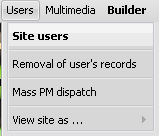 | | 4.1 Removal of user’s entries. This option permits to easily and quickly remove all entries added by a user in one of the modules or all of them. To do this specify the exact user’s nickname, select the modules where you want to remove entries, enter security code and click "Remove". | 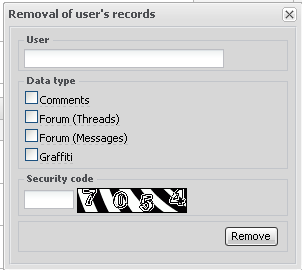 | | 4.2 Mass PM dispatch. This button will redirect you to the page where you can send PMs to necessary user groups. You can also access this page from your profile. | 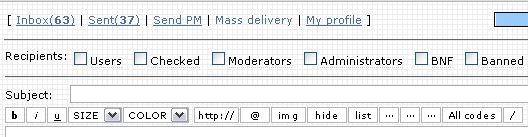 | | 4.3 View site as ... This feature allows you to view your site as a user of any other group. You’ll be able to view the site with the settings and permissions of other user groups. The only difference is that Admin Bar will remain in its place. | 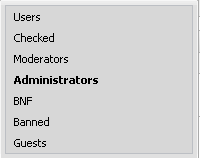 | | 5 "Multimedia". By means of this tab you can access multimedia features of your website (players, editors...). | 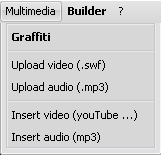 | | 5.1 Graffiti. A flash drawing tool from uCoz, by means of which you can easily draws a simple picture or decorate a photo uploaded from your computer. | | 5.2 Upload video/audio. These two buttons simply open the window of File Manager where only video/audio file formats are displayed. | | 5.3 Insert video/audio. By means of these features you can generate BB/HTML codes of a player for video/audio playback at your site or forum. For this purpose specify a direct link to a video/audio file uploaded to some third-party hosting or to the File Manager (see item 5.2), and then the codes will automatically appear in the second and the third fields. | 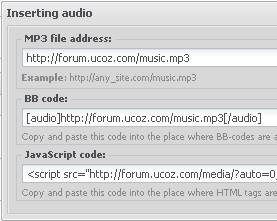 |
I'm not active on the forum anymore. Please contact other forum staff.
|
Sunny
Posts: 9296
Message # 2 |
3:07 PM
2008-09-25
I'm not active on the forum anymore. Please contact other forum staff.
|
kostova

Posts: 97
Message # 3 |
9:17 AM
2009-09-11
This is the first time I've seen this code - $ADMIN_BAR$
and I was curious on what it does. It has no reference on the list of codes below the template editor.
Assuming it's for admin http://forum.ucoz.com/forum/31-2189-1, hence the ADMIN.
When I tested it, nothing happens. Just curious, that's all.
|
Sunny
Posts: 9296
Message # 4 |
9:05 AM
2009-09-14
heysupp, it is the code for Admin Bar.
I'm not active on the forum anymore. Please contact other forum staff.
|
Altric
Posts: 44
Message # 5 |
0:07 AM
2009-10-05
I've been trying to edit some key parts of my website, but during this my admin bar disappeared, and won't come back. I don't think disabling the users module would've done this and i've read every article about this problem. I've even removed some needed javascripts trying to fix it. Please help me. ~ Altric
"When you get frustrated, Just ignore it and keep on enjoying life." ~ Altric ..:: Jack's Blog::..
|
Dartz
Posts: 1931
Message # 6 |
0:16 AM
2009-10-05
You disrespect us then come for help? Ask you "friends" who talk "smart"
about uCoz Support Forum. They are "amazing coders" who are capable.
[... With uCoz since December 2 2007 ...]
|
Sunny
Posts: 9296
Message # 7 |
8:44 AM
2009-10-05
Altric, if you messed up with the code then no wonder. Tried to use another browser? Tried to restore default templates?
I'm not active on the forum anymore. Please contact other forum staff.
|
Message # 8 |
9:35 AM
2009-10-05
tryed to write $Admin_bar$ at the start of the body?
Post edited by ChakraBlast - Monday, 2009-10-05, 9:36 AM
|
Altric
Posts: 44
Message # 9 |
10:21 PM
2009-10-05
Quote (Dartz) You disrespect us then come for help? Ask you "friends" who talk "smart" about uCoz Support Forum. They are "amazing coders" who are capable.
If your not going to help.. Please don't step in.
Quote (Sunny) Tried to use another browser? Tried to restore default templates?
I was using google chrome and it didn't work. I tried Firefox 3.5 and 2, plus Opera 10
Quote (ChakraBlast) write $Admin_bar$ at the start
I also tried this. I've also noticed that the normal "Add new Entry" link didn't appear so i guess that means i'm not logging in correctly. I've check and my password i entered was correct. Still no luck, any more ideas? Added (2009-10-05, 4:21 Pm)
---------------------------------------------
I also noticed now it's saying '"Users" Feature is Disabled.' Although at the bottom it say's it shouldn't matter.
"When you get frustrated, Just ignore it and keep on enjoying life." ~ Altric ..:: Jack's Blog::..
|
Renatus

Posts: 58
Message # 10 |
1:09 AM
2009-10-06
Quote (Altric)
If your not going to help.. Please don't step in. You are not the sharpest crayon in the box are you? BJ! on speaking to the "Head Mod" like that. BJ = Brilliant Job PS. For you people thinking oddly highlight my post.
Post edited by Renatus - Tuesday, 2009-10-06, 1:10 AM
|
Tommy

Posts: 454
Message # 11 |
6:25 AM
2009-10-06
Altric, Do you know who you are talking with. You are telling the "Head Mod" to don't step in. Interesting! Now I feel bad for letting you free on that "Time stamp" suggestion.
"I don't like to commit myself about heaven and hell - you see, I have friends in both places"
|
Sunny
Posts: 9296
Message # 12 |
8:48 AM
2009-10-06
Altric, if you want to get help then be polite and mind your words. Provide website url.
I'm not active on the forum anymore. Please contact other forum staff.
|
Altric
Posts: 44
Message # 13 |
10:50 PM
2009-10-06
http://jack.ucoz.com/
Quote (Sunny) polite and mind your words
Sorry I'm rushed to get my site back working before I have to go camping, and i'm so busy with Homework from being sick. Life's so rushed!  But, Thanks for helping.. Sorry for 'yelling' at your Dartz. ---------------
Edit: I've re-enabled the "USERS" module and now it works. But i don't want the user's module enabled.
"When you get frustrated, Just ignore it and keep on enjoying life." ~ Altric ..:: Jack's Blog::..
Post edited by Altric - Wednesday, 2009-10-07, 1:51 AM
|
Tommy
Posts: 454
Message # 14 |
6:34 AM
2009-10-07
Quote (Altric) But i don't want the user's module enabled.
If you don't want User's module, then disable it.
"I don't like to commit myself about heaven and hell - you see, I have friends in both places"
|
Sunny
Posts: 9296
Message # 15 |
9:30 AM
2009-10-07
Altric, are you sure you are speaking about Admin Bar and not User Bar? Admin Bar must not disappear if Users module is disabled. What is website url?
I'm not active on the forum anymore. Please contact other forum staff.
|