


   | |
| Forum moderator: bigblog |
| uCoz Community For Webmasters Design Customization Help on Template Builder (How to Create a Skeleton ?) |
| Help on Template Builder |
How to Create a Skeleton When you open a Templates Builder section you can see the following options: 1. Rules for creating a skeleton 2. Sample skeleton 3. Skeletons of standard designs 4. You're using default style sheet of the design #, or Personal style sheet is in use Those are the links to definite pages of the Control Panel. #1 and #2 are pop-up windows, # 3 opens a drop-down list with the links to standard skeletons (if you click on one of them it will be loaded to the editing area). And finally, #4 will open a pop-up window with the link to the CSS file. Let’s get back to item 2 (sample skeleton). There are three buttons at the top of the opened window – Skeleton code, View, Edit. Active button is in a pale color, it is Skeleton code by default. When you click View you’ll see the page as it will look. We can view the appearance of the main site page (and main module pages), forum and pop-up windows. Pop-up windows are a user profile, poll results, a list of PMs etc. When you click on Edit the skeleton code will be copied to the editing area of the Templates Builder. Below are the checkboxes by means of which you can change the design either of the whole website or of some definite module(s): just remove the checkmarks for those modules which you don’t want to change. Under the checkboxes you can see the following buttons: 1. File Manager 2. View 3. Create templates (after you have clicked on this button the templates of the marked modules will change) 4. Additional options a) Add to designs set (Addition of the created design to the set of default designs. This design will be used when restoring templates) b) Archive the skeleton (Creation of an archive which will contain skeleton code file, style sheets file, files of images, setup manual file for installation of the skeleton on any other uCoz site) c) Save skeleton (Saving skeleton code in a file to continue its configuring in future (backup)) Sometimes your code may contain mistakes then the system will warn you before creating an archive. The archive will be saved together with a special error file where all confusing places of the code will be listed. If you have already edited uCoz templates then you are familiar with the principles of their structure and with the special uCoz codes. You can use in the skeleton only those codes that are working in all templates. You’ll have to paste all codes, specific for certain modules, manually. Except the standard codes, special skeleton codes are used. The list of special Templates Builder codes: 1. [TITLE] – page name (for the 2. [CSS_URL] – URL of the CSS file 3. [RSS_URL] – URL of the RSS feed (for the modules that have it) 4. [MODULE_PAGE_URL] – URL of the main module/section page (for the modules that have it) 5. [MODULE_NAME] – module name 6. [CATS_TITLE] – name of the block with the module categories list 7. [CATEGORIES] – list of the module categories (for the modules that have them) 8. [CALENDAR_TITLE] – name of the block with the calendar of additions 9. [CALENDAR] – calendar of additions (for the modules that have it) 10. [SEARCH_TITLE] – name of the search block 11. [SEARCH_FORM] – search block for searching module entries (for the modules that have this feature) 12. [BODY] – main part of the page (list of entries etc.) When installing a skeleton on the site the Templates Builder will automatically replace those codes by the equivalent standard codes, specific for each module. In the general case [BODY] is not equal to $BODY$. For example, you’ll get the following code instead of [BODY] on the main page: Code <table border="0" cellpadding="5" cellspacing="0" width="100%" class="tabbody"> <tr> <td class="tdbody"><a href="$HOME_PAGE_LINK$">Main page</a> </td></tr> <tr> <td class="tdbody1"> %IF($ADD_NEWS_LINK$)%<div style="text-align:right;padding-bottom:3px;">[ <a href="$ADD_NEWS_LINK$">Add new entry</a> ]</div>%ENDIF% $LAST_NEWS$ </td> </tr> </table> And for the File Catalog (the source code is the same): Code <table border="0" cellpadding="0" cellspacing="0" width="100%"> <tr> <td width="80%"><a href="$HOME_PAGE_LINK$">Main</a> » Files</td> <td align="right" style="white-space: nowrap;">%IF($ADD_ENTRY_LINK$)%[ <a href="$ADD_ENTRY_LINK$">Add new entry</a> ]%ENDIF%</td> </tr> </table> <hr /> <table border="0" cellpadding="0" cellspacing="0" width="100%"> <tr> <td width="60%">Total entries in catalog: <b>$NUM_ENTRIES$</b>%IF($NUM_SHOWN$)% Shown entries: <b>$NUM_SHOWN$</b>%ENDIF%</td> <td align="right">%IF($PAGE_SELECTOR$)%Pages: $PAGE_SELECTOR$%ENDIF%</td> </tr> </table> <hr /> $BODY$ %IF($PAGE_SELECTOR1$)%<div style="text-align:center;">$PAGE_SELECTOR1$</div>%ENDIF% </td> </tr> </table> And for the Forum you’ll get just ..., ... and the following code in between: Code <table border="0" cellpadding="0" height="30" cellspacing="0" width="100%" align="center"> <tr> <td align="right">[ <a class="fNavLink" href="$RECENT_POSTS_LINK$" rel="nofollow">Recent messages</a> • <a class="fNavLink" href="$MEMBERS_LIST_LINK$" rel="nofollow">Members</a> • <a class="fNavLink" href="$BOARD_RULES_LINK$" rel="nofollow">Forum rules</a> • <a class="fNavLink" href="$SEARCH_PAGE_LINK$" rel="nofollow">Search</a> • <a class="fNavLink" href="$BOARD_RSS_LINK$" rel="nofollow">RSS</a> ]</td> </tr> </table> $BODY$ The conditional operators for the Templates Builder also have unique features. They are of two types: ordinary %IF% %ELSE% %ENDIF% and {IF} ... {ENDIF}. The first type is described in the Control Panel. The second type is easy to understand: these codes are used for those parts of the code that will be displayed for certain modules only. The system knows itself what and where to display.
That is what you should know when working with the Templates Builder. I'm not active on the forum anymore. Please contact other forum staff.
|
Lisa, a different uCoz template?
 1. Go to Control Panel ( http://YourSite.ucoz.com/admin ) 2. Login and look at left-top corner for 'Settings', select. 3. It will give you drop menu, select 'Common Settings'. 4. Find 'Site design' option. Next to it is 'Select design'. 5. Click on 'Select design'. Will open new window. 6. At top-right corner is field with #. Type there: 937 7. Click on 'Ok'. System will find design you requested. 8. Click on it, the design. Will pop-up window, click on 'Ok'. 9. Scroll down at 'Common Settings' and click on 'Save'. |
That Guide made sense, but i don't have a "Settings" at the top left, i see general
 Added (2009-05-13, 12:23 Pm) Quote (Armaros) That Guide made sense, but i don't have a "Settings" at the top left, i see general EDIT: i saw in the URL to do /admin, but it said it could not be found (http://renegadeguild.ucoz.com/admin) HELP ME SMART PEOPLE 
|
Quote (Renegade) EDIT: i saw in the URL to do /admin, but it said it could not be found (http://renegadeguild.ucoz.com/admin) HELP ME SMART PEOPLE It works fine for me. Try using another web browser - FireFox recommended. Also make sure your network is working properly and your browser doesn't block anything. |
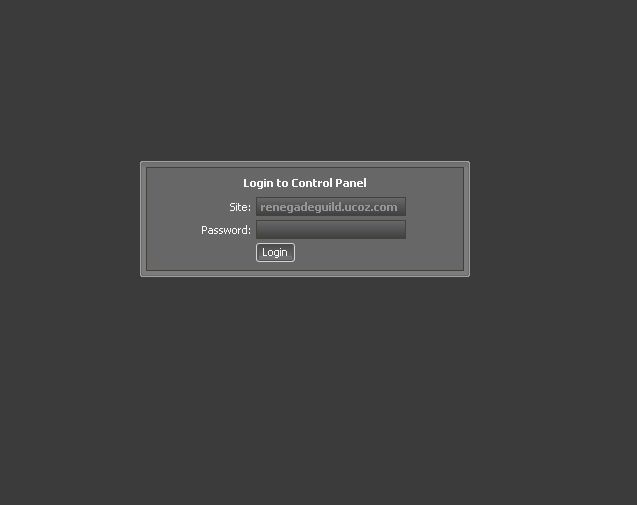
Renegade, http://renegadeguild.ucoz.com/admin works fine:
Attachments:
8928143.png
(4.6 Kb)
I'm not active on the forum anymore. Please contact other forum staff.
|
Sunny, Im interested in one thing.. I want to fully rework like for example profile page.. But in codes there arent anything exacly... Like names of things to change or anything like that.. And like if i want to remove something or add i dont know manything where and how to do it..
|
I have downloaded a free forum template it contains few images of buttons and all and a html code language
wht have to do to have that template in my website and can we change user profile page ??? with templates? ..True Love For Me Means Just U..
|
Quote (Krishna) I have downloaded a free forum template it contains few images of buttons and all and a html code language wht have to do to have that template in my website
Quote (Krishna) can we change user profile page ??? with templates? |
ok well i get the first few bits of the guide for the template builder but i dont get the main bits wich alow to change my design wierd to say im only 10 years old so it is a little to complicated for me could someone go through steps in the easiest way possible an then give me some cool modules for my site??
FITSG PWNS ALL!!!!
|
Quote (fitsg) fitsg, easier for us would be you telling what you couldn't understand? - Before creating a new thread, READ Sticky Threads! well i understand almost everything on this topic but accept for the design bit like how do i create my own site design that will work for ucoz webs with a template that fits the features on my site that ucoz services have provided? Added (2009-06-27, 10:01 Am) Quote (fitsg) fitsg, easier for us would be you telling what you couldn't understand? - Before creating a new thread, READ Sticky Threads! well i understand almost everything on this topic but accept for the design bit like how do i create my own site design that will work for ucoz webs with a template that fits the features on my site that ucoz services have provided? FITSG PWNS ALL!!!!
|











| |||
